Explore it yourself.
Decide how it fits.
Explore Finnate Loan Servicing Platform with a lending scenario of your choice. Start with a preconfigured loan, model a repayment schedule, then follow the workflows and settings that interest you.
Register once with your email. Already registered? Just log in.
No obligation · No sales call · Sample data only
Choose the loan product that interests you the most.
Ten loan products and 60 accounts are ready and waiting, set up across six lifecycle stages: disbursement, repayment, prepayment, advance payment, rescheduling and foreclosure. A 25-year mortgage runs around 300 monthly cycles, so we’ve done the waiting for you. Pick a scenario and dive straight in, no data entry needed. Fancy building your own product or account? Go right ahead.
Wedding Loan
6 demo accounts · one per stageDisburse
01WL-Disburse-001Foreclosure
02WL-Foreclose-002Prepay
03WL-Prepayment-003Repayment
04WL-Repayment-004Advance payment
05WL-Advance-Payment-005Reschedule
06WL-Rescheduling-006See a loan created from start to finish.
To help you get started, we have recorded a short video that shows how to create a vehicle loan in the LMS. It follows one loan from start to finish in under a minute. Watch it once, then open the LMS and create your own loan using your own terms.
- Link a borrowerSearch by name and pick them
- Lodge the collateralAdd the vehicle and what it’s worth
- Open the loan accountMost of the details carry over
- Pledge itSecure the loan, ready for approval
A little practice.
A lot more clarity.
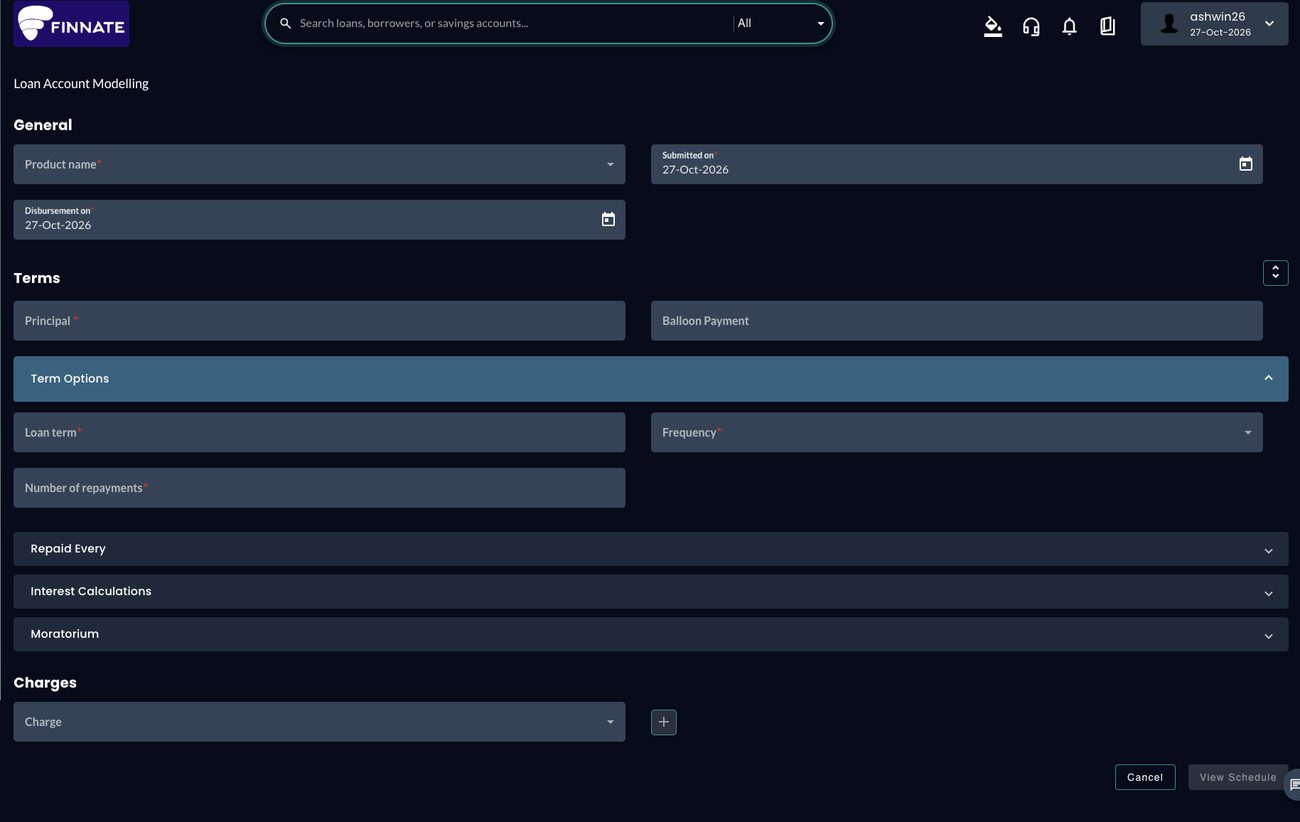
Explore a loan scenario in the Modelling screen. Choose a product, adjust its terms and view the repayment schedule.
If you only see icons, expand the left sidebar using its chevron.
- Choose a product.In Product name, choose Personal Loan. Its configured defaults fill the principal, term and charge details.
- Explore the terms.Review Principal, Loan term, Frequency and Number of repayments. Open Repaid Every, Interest Calculations or Moratorium to see more settings.
- Select View Schedule.Review the repayment dates, principal, interest, fees and balance. Select Back, change one setting and view the schedule again to compare.
Loan Modelling, with numbered pointers
 1Choose a product
2Set loan terms
3View Schedule
1Choose a product
2Set loan terms
3View Schedule
Deep dive into the platform.
Every product here is built in the same system, with nothing hard-coded. Define rates, charges, promotional codes and collateral, link them to a product, and the product is ready. Browse the modules below. Each guide gives the exact clicks from Home and a few things to try.